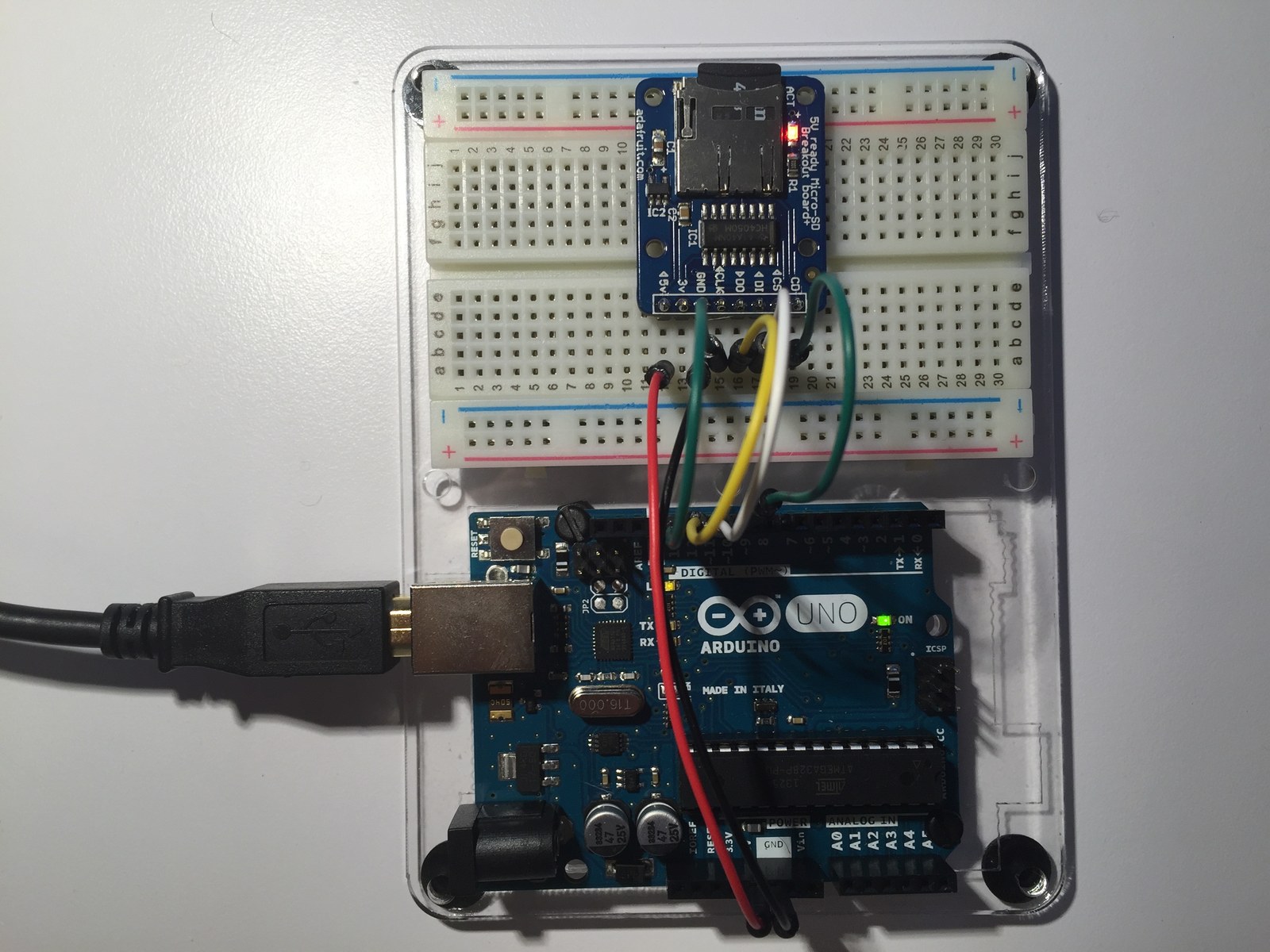
Three small SD examples make up this microSD breakout project: inspecting the card, creating and removing a file, and writing a test line for readback. The photographs and breakout guide document the hardware used for the experiment.
How the project works
CardInfo exercises the underlying SD utility classes to identify the card, open its FAT volume and list files. Files demonstrates the exists, open, close and remove operations using example.txt.
ReadWrite removes an existing test.txt, creates it again, writes “testing 1, 2, 3.” and prints the file back through the serial port. The demonstration runs once in setup, leaving loop empty. It is a storage check rather than a continuous data logger.
Hardware and configuration
| Item | In the supplied code |
|---|---|
| Uno SPI | MOSI D11, MISO D12, SCK D13 |
| Active CS in Files / ReadWrite | D10 |
| Serial monitor | 9600 baud |
| Demonstration files | example.txt and test.txt |
Working with the supplied code
Follow the executable SD.begin(10) calls when wiring chip select; inherited comments in the examples still mention pin 4. Keep the hardware SS pin configured as an output and confirm the selected chip-select value in each sketch.
Use a card containing only disposable test data when running the file examples, because they deliberately remove their named files. The MicroSDcard_breakout.ino file is empty in this archive; open CardInfo, Files or ReadWrite as the actual sketch. FAT16/FAT32 volume checks in CardInfo provide a useful first step before debugging higher-level file operations.
Source code and project files
Browse this project on GitHub. The files below are useful starting points for the sketches and references discussed in this post.
Download the used libraries (ZIP, 14.7 MB).
The SD examples retain credits to David A. Mellis, Tom Igoe and Limor Fried in their source comments.
These notes describe the archived source and project media. The sketches have not been rebuilt or tested on hardware for this article.