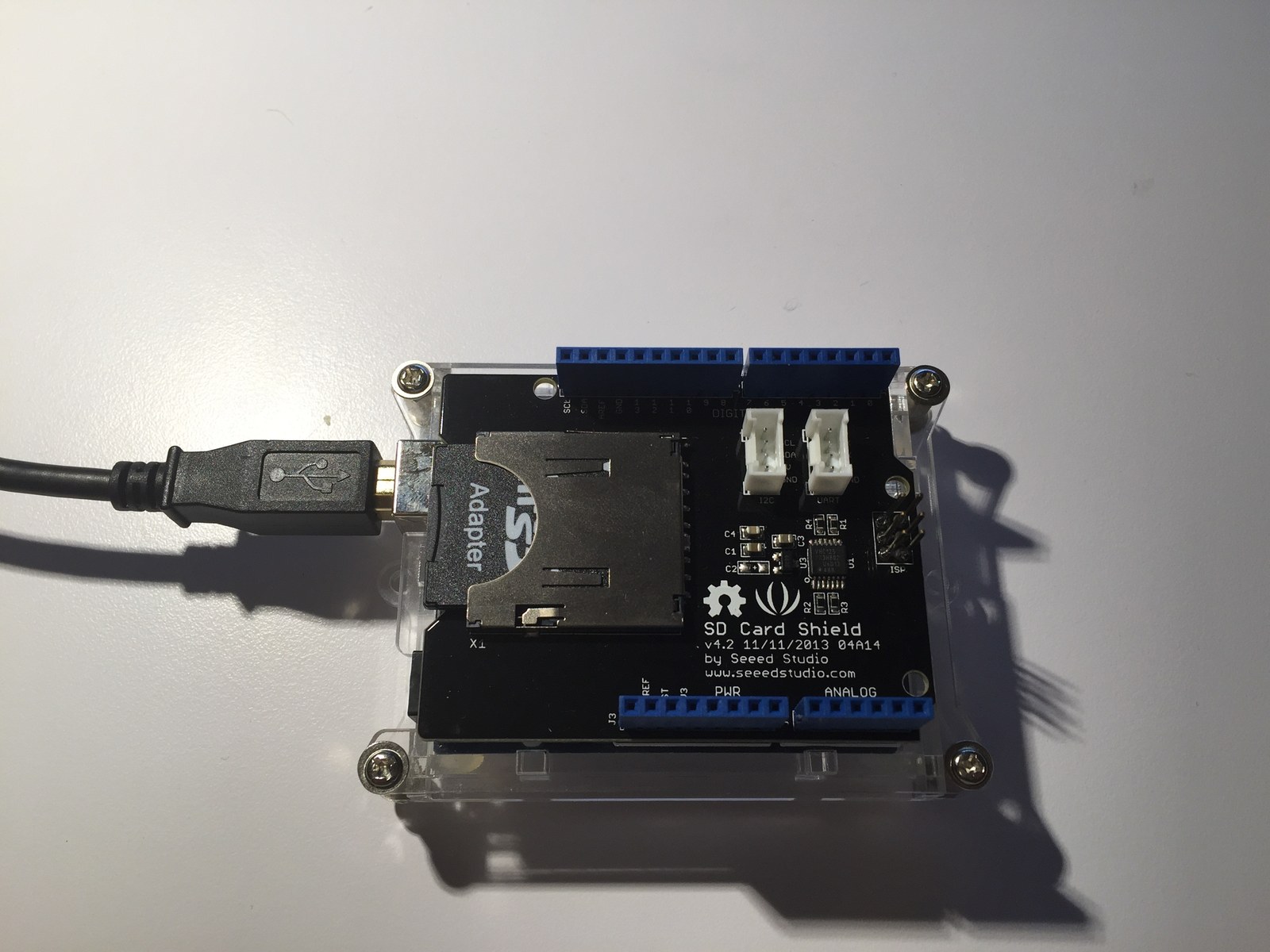
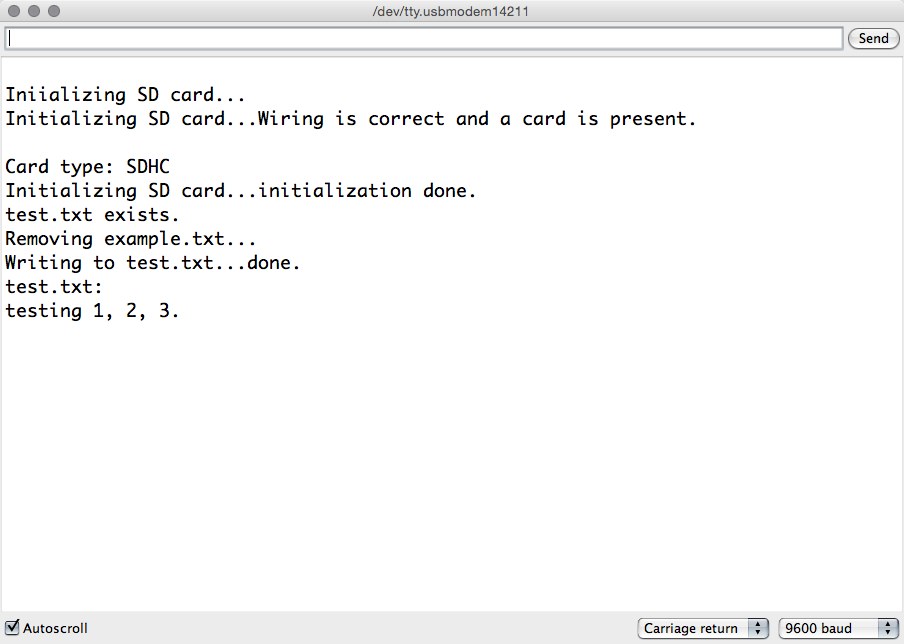
This SD shield project combines card detection and a basic write/read cycle in one sketch. The board photograph and Serial Monitor capture show the intended workflow: confirm that the card is recognized, then verify that a file can be created and read.
How the project works
The first part of setup initializes the card with SPI_HALF_SPEED, reports the SD card type and checks that a FAT volume can be opened. Some extended capacity and directory-listing code remains commented out.
The active file test then initializes the SD library on chip select 4, removes test.txt, writes a short test line and reads it back byte by byte. This distinction matters when comparing the sketch with the separate breakout examples, which use chip select 10.
Hardware and configuration
| Item | In the supplied code |
|---|---|
| Chip select | D4 |
| Hardware SS on Uno | D10 kept as OUTPUT |
| Uno SPI | D11 MOSI, D12 MISO, D13 SCK |
| Serial monitor | 9600 baud |
Working with the supplied code
Check the shield’s actual chip-select wiring before loading the program. If initialization fails, the printed diagnostic prompts point to the card, wiring and chip-select setting before the code proceeds to file operations.
The sketch overwrites its named test file on each startup. Use disposable data for the demonstration, then remove that deletion step when adapting the code for logging. The message about removing example.txt is inherited text; the active SD.remove call actually targets test.txt.
Source code and project files
Browse this project on GitHub. The files below are useful starting points for the sketches and references discussed in this post.
Download the used libraries (ZIP, 14.7 MB).
These notes describe the archived source and project media. The sketches have not been rebuilt or tested on hardware for this article.